
Claude, what the fuck is going on?
Call Claude by name. It finds what’s wrong, fixes it on your OK, and remembers.
/plugin marketplace add DozenTwelve/CWTFIGO /plugin install cwtfigo@cwtfigoThen type cwtfigo. If it offers you a checkup of this computer, it’s working.
How it works
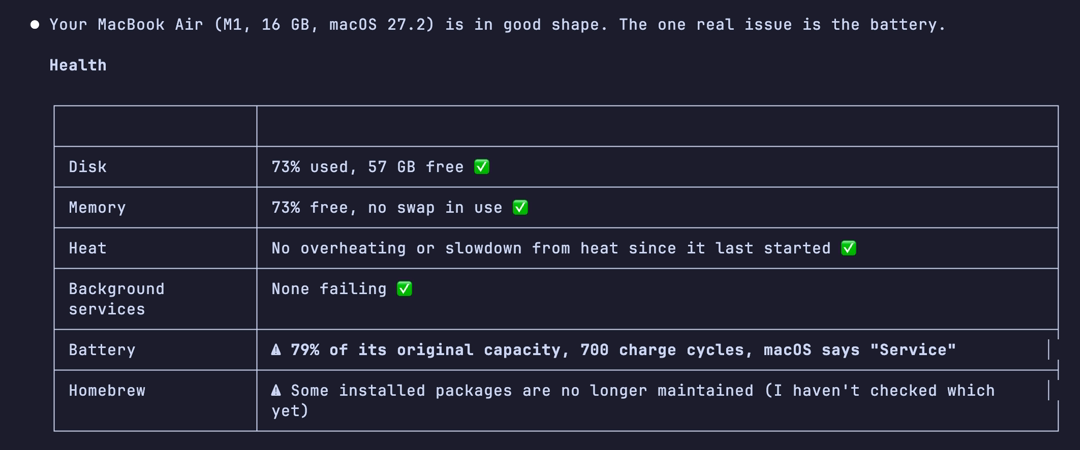
Say its name
Type “CWTFIGO” and what’s wrong. Or just “cwtfigo”, and it offers a checkup.
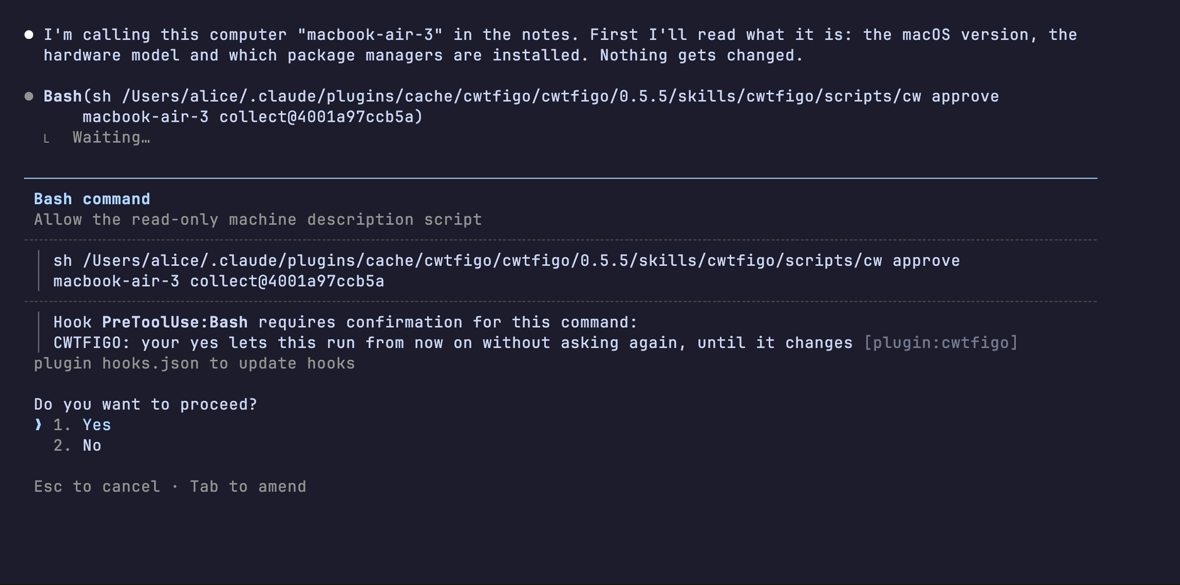
It asks before it reads
Claude Code asks before each new script runs. Anything that would change your computer asks every time.
It remembers
Notes stay on your computer, one folder per machine, including others it reaches over SSH. The next visit starts there.
$ ls ~/.cwtfigo/hosts
macbook  nas  router  steam-deck

$ cat ~/.cwtfigo/hosts/nas/notes.md
Debian file server. Backups only.

## Don't touch
- /srv/backup/.old: looks like junk,
  holds the 2024 photos

## Parked
- 2026-11-02 Backup disk keeps waking up
  - tried: hdparm -S 120: no change
  - recheck: when the new enclosure arrives
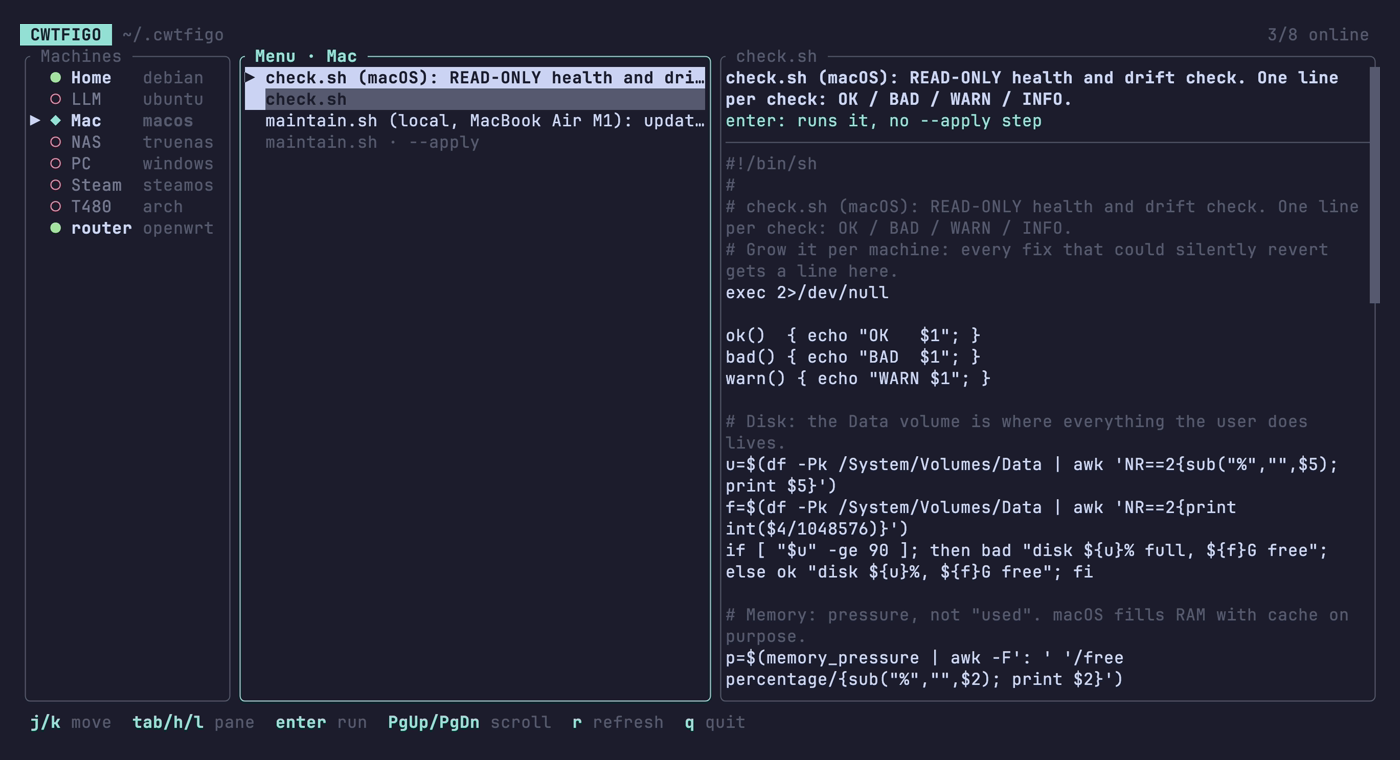
No AI needed afterwards
Claude writes each machine its own checkup and upkeep. A small menu runs them without Claude, on Mac and Linux.
Questions
What do I need?
Claude Code, git and python3, which it uses to search past fixes. On a Mac, get git with xcode-select --install. On Windows it runs in Git Bash, which Claude Code needs there anyway. The first visit goes best on Opus: /model opus.
Which computers does it work on?
Macs, Linux, Windows, Steam Deck and routers: the one in front of you, or others on your network over SSH. Your laptop can look after your server, your NAS and your router, with the notes for all of them in one place.
Why not just ask Claude?
Without notes, every chat starts from zero: what this machine is, what you tried last month. CWTFIGO remembers. Each machine also gets its own health check and upkeep script, written by Claude for that machine and approved by you, then rerun every visit and rewritten when something new is learned.
Can I use it without AI?
Yes, on Mac and Linux. A small menu in your terminal runs the scripts Claude has written and you’ve approved, machine by machine, so on day one it’s empty and it fills as you use CWTFIGO. In Claude Code, say “CWTFIGO install the TUI”, then type cwtfigo in a terminal.
Where do my notes go?
Into ~/.cwtfigo, a git folder on your computer. Delete it and they’re gone. Several computers can share them through a private git remote you own, never a public one.
What does Claude see?
What it reads (names, paths, ports, log lines) passes through Anthropic, like anything else you show Claude Code. For a cleanup it measures sizes, never what’s in your files.
Will it touch things I didn’t ask about?
It only starts when you call it by name. Describe a problem without the name and you get a normal Claude answer. It never touches a machine you didn’t point it at.
Something went wrong?
Tell it “CWTFIGO, that didn’t work”, or “CWTFIGO, open an issue about this”. It drafts a bug report with the version and what happened, shows it to you, and posts it under your GitHub account only on your yes. Or open one yourself. Security problems: see SECURITY.md.
Does it make Claude smarter?
No, and it won’t make it dumber either. It depends a lot on the model. Parking problems, showing evidence and dry-run-first scripts come from the skill’s rules, not code, so they rely on the model following them. You still see every script before you approve it. For a one-time fix on a friend’s laptop, plain Claude Code is fine. For machines you look after every week, it gets better the longer you use it.